


High quality Office PBX Phone / Caller ID Telephone
 |
45 days Money back Returns accepted if product not as described, buyer pays return shipping; or keep the product & agree refund with seller. |
|---|---|
 |
On-time Delivery Guarantees: On-time Delivery 60 days |
Most Popular from Category
Office PABX Phone
Model: PH-206
NEW and HOT-SELL!
Be comaptible with VinTelecom PABX system.
Work with our PABX,more rich features can be used, like DND (Don’t Disturb feature), call pick up, call transfer, PBX operator, leave forward, busy forward,etc.
Brief Description
PH-206 uses advanced micro controller to guarantee the reliability and provide you excellent voice quality experience. The elegant appearance design will also bring you a visual enjoyment and practical convenience.
PH-206 is a Caller ID phone, you can see the call number and talk duration and time when you are talking with the phone, you also can check the incoming and outgoing call records easily with a single button press.
The main functios:
1. DTMF/FSK Caller ID
2. 38 incoming call records and 16 outgoing call records
3. 11 pre-stored speed dial buttons
4. Real-time /date display and week display
5. 16 music rings for selection
6. Built-in hold on music
When work with VinTelecom CDX-800 Series PBX, will have more special functions as follows:
7. PICK UP feature: Press the key “PICK UP” to dal “*#9” to pick up a call on the other extensions
8. DND ( Don’t Disturb): press the key” DND” to dial “*#83″ to enter ” do not disturb” status, pls refer to our pabx manual under item “Don’t Disturb” for details. Pick up the handset to exit the DND status
9. Busy Forward: Press the key “BUSY FORWARD” to dial “*#82+Ext.No to enable busy forward function and set the target extension number; pls refer to our PABX manual under item” Busy Forward” for details.
9. Leave Forward: Press the key”LEAVE FORWARD” to dial “*#81” + Ext. No. to enable leave forward and set the target extensions No.
10. Cancel Forward: Press the key”CANCEL FORWARD” to dial “*#80” to clear all the forward setting.
More pictures show:


Can Work With Our PBX / PABX System
0 out of 5 (0 Ratings)
| Positive (0%) |
5 Stars (0)
|
|
4 Stars (0)
|
|
| Neutral (0%) |
3 Stars (0)
|
| Neutral (0%) |
2 Stars (0)
|
|
1 Star (0)
|
| Name | Rating | Feedback |
|---|
| Shipping Company | Shipping Cost | Estimated Delivery Time |
|---|---|---|
 |
3 - 7 days | |
 |
3 - 7 days | |
 |
5 - 14 days | |
| Post Air Mail | Free Shipping | 15 - 45 days |
| Return Policy | If the product you receive is not as described or low quality, the seller promises that you may return it before order completion (when you click "Confirm Order Received" or exceed confirmation timeframe) and receive a full refund. The return shipping fee will be paid by you. Or, you can choose to keep the product and agree the refund amount directly with the seller. N.B.: If the seller provides the "Longer Protection" service on this product, you may ask for refund up to 15 days after order completion. |
|---|---|
| Seller Service | On-time DeliveryIf you do not receive your purchase within 60 days, you can ask for a full refund before order completion (when you click "Confirm Order Received" or exceed confirmation timeframe). |

Most Popular from Category

K5Y Geek Hamburger Cheeseburger Burger Telephone Home Desktop Corded Juno Phone
US $12.00 / lot
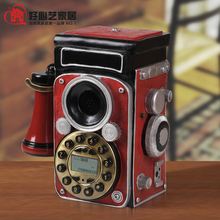
Antique camera telephone fashion antique telephone decoration phone fitted
Double wp821 for zte cdma wireless landline phone hand-held machine
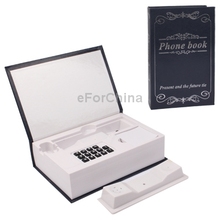
Creative Book Shaped Telephone Landline Wired Table Telephone with Notepaper for Home Office (Blue)
US $28.94 / piece
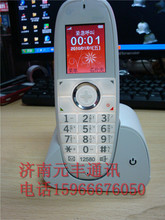
For zte wireless handheld u115 machine the old man machine wireless td encryption card general card

Hot sell antique telephones, European-style telephone, desktop dual-wall machines, telephones
online shopping, buying directly from manufacturers?
- Go to Alibaba.com and enter the wanted item into search field.
- Having made your choice, click "Contact supplier" button on the right
- On the next page enter your request and click "Send" button.
- Upon clicking you will be asked to get registered. Do it and wait for the reply.
 ▼
▼